How to restore VM from snapshot?
To restore a VM from a snapshot, you need to launch it as an instance. Please refer to the documentation for detailed steps on how to launch a VM.
You may follow all the steps outlined in the referred document, with a modification to Step 3.
- In the section of Source tab
Under the "Select Boot Source" section, choose "Instance snapshot" as the boot source for the VM restoration process. Then, select the specific snapshot of the VM that you want to restore.
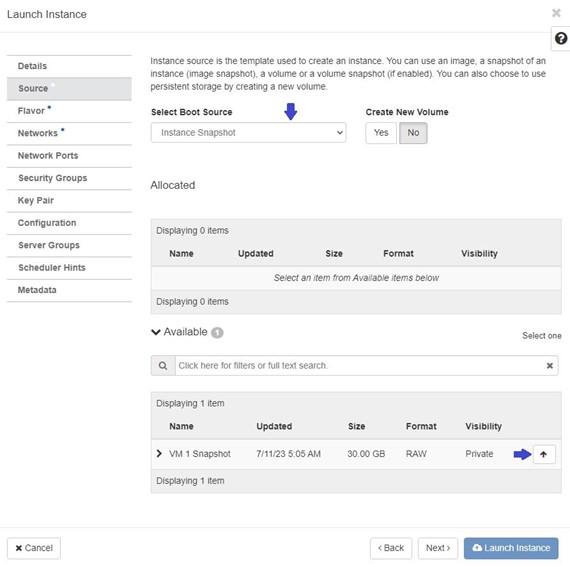
After implementing the changes in Step 3 as instructed, kindly proceed with the subsequent steps just as you would when launching an instance.
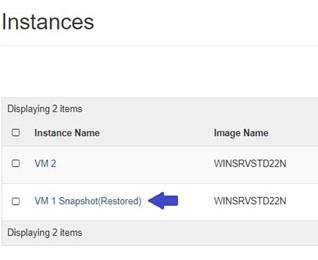
Once the VM is successfully restored from the snapshot, you can locate it Under Project tab, open the Compute tab and click on Instance.