How to Create Subnet?
A subnet is a subdivision of an IP network range that allows you to define a smaller, manageable portion of IP addresses within a larger network.
Step 1
Log in to the xconnect portal. (opens in a new tab)
Step 2
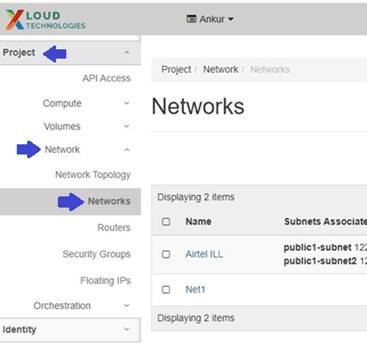
On the Project tab, open the Network tab and click Networks.
Step 3: Create a Network
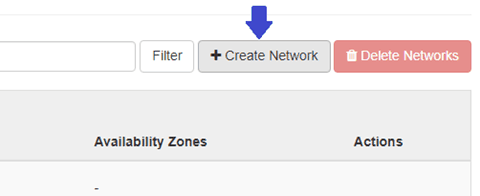
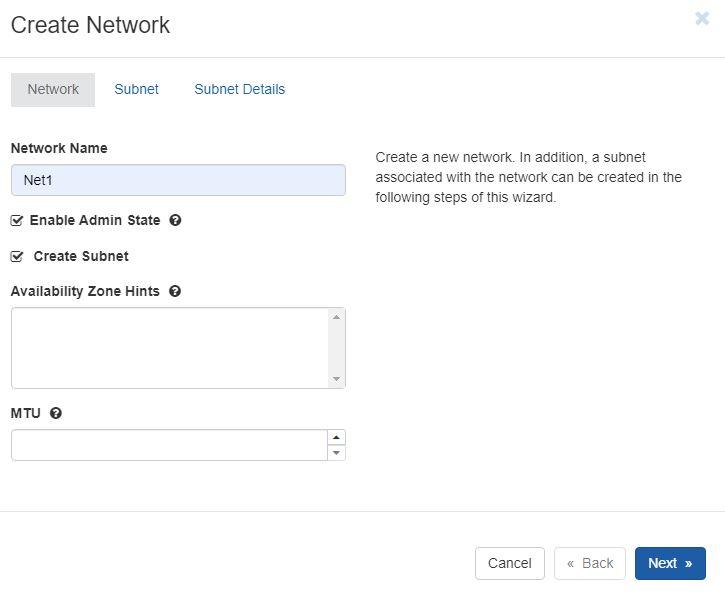
Click on the Create Network button and specify the following network parameters:
- Network Name: Specify a name to identify the network.
- Admin State: Select this check box to enable the network.
- Create Subnet: Select this check box to create a subnet.
Step 4: Define Subnet Parameters
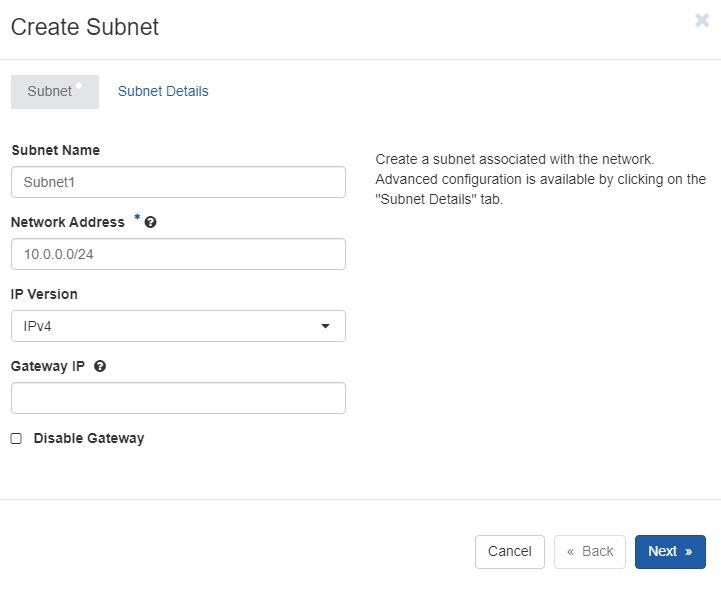
Go to the Subnet tab and specify the following parameters:
- Subnet Name: Specify a name for the subnet.
- Network Address: Specify the IP address for the subnet in CIDR notation. (For e.g., 10.0.0.0/24 where the prefix is the binary representation of the network address -- similar to what would be seen in a normal IP address and the suffix declares the total number of bits in the entire address.)
- IP Version: Select IPv4.
- Gateway IP: A gateway IP refers to a device on a network which sends local network traffic to other networks. (To use default gateway, we leave it blank)
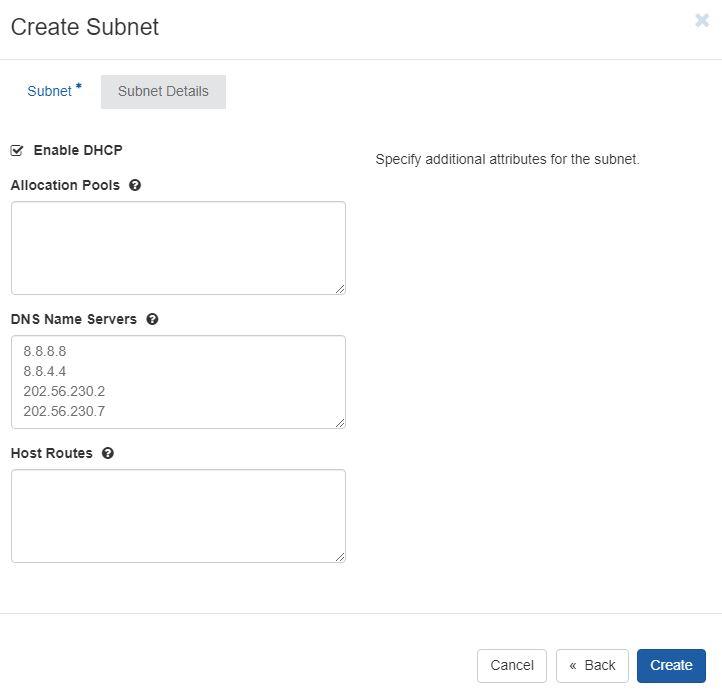
Switch to the Subnet Details tab and configure the following:
- Enable DHCP: Select this check box to enable DHCP.(DHCP configure network devices to communicate on an IP network)
- DNS Name Servers: Specify the DNS server name (For e.g., 8.8.8.8 8.8.4.4 (Google DNS) 202.56.230.2 202.56.230.7 (Airtel DNS))
Step 5: Finalize Subnet Creation
Click on the Create button to finalize the process.
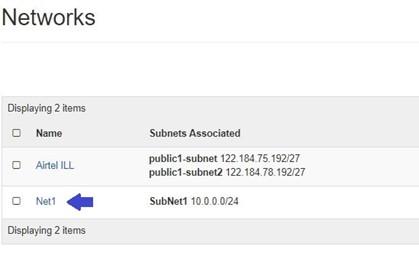
After creating the subnet, you can locate it by navigating to the Project tab, opening the Network tab, and clicking on Networks.